Three colours
Good to go
Apps you have used recently, and apps you marked as checked.
Is this OK?
Apps with no usage record, apps unused for 30 days or more, and apps added since your last check.
Watch out!
Apps that did not come from Google Play and have never been used.
How it works
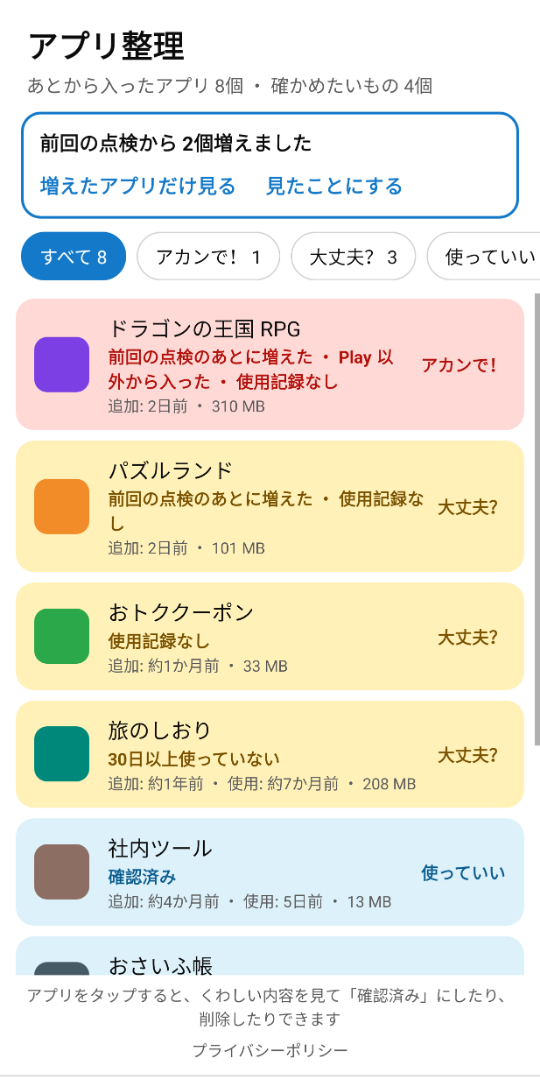
Check the worrying ones first
Apps are listed red, then yellow, then blue. New apps since last time are flagged.
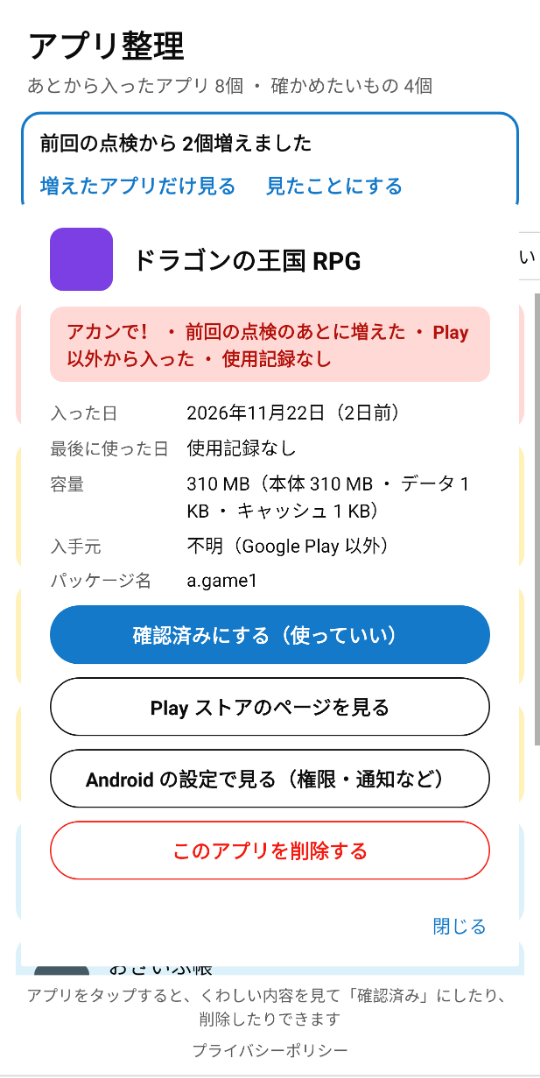
Decide one by one
Look at the details, then mark the app as checked or uninstall it.
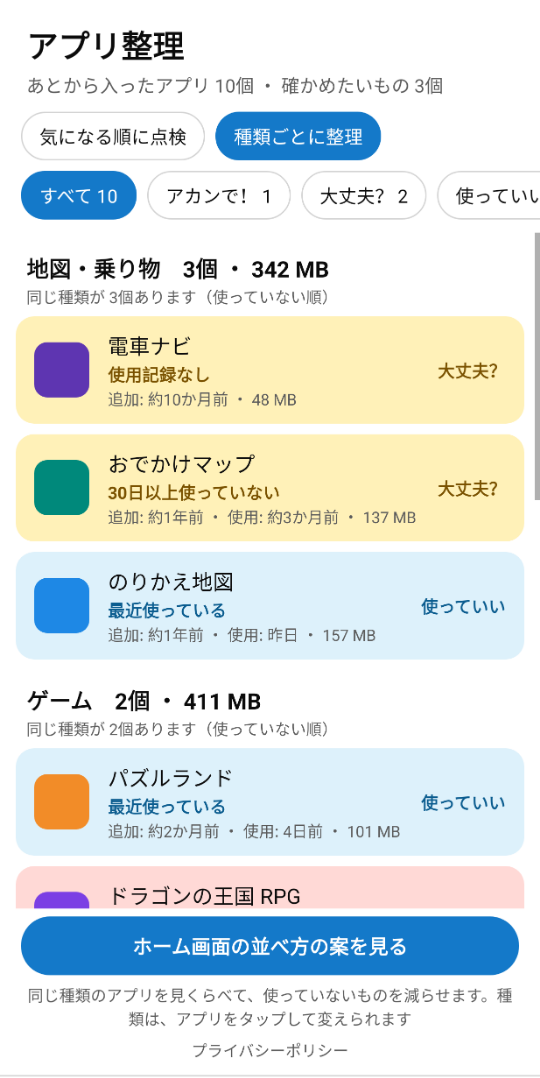
Tidy by kind
Compare apps of the same kind and drop the ones you don't use.
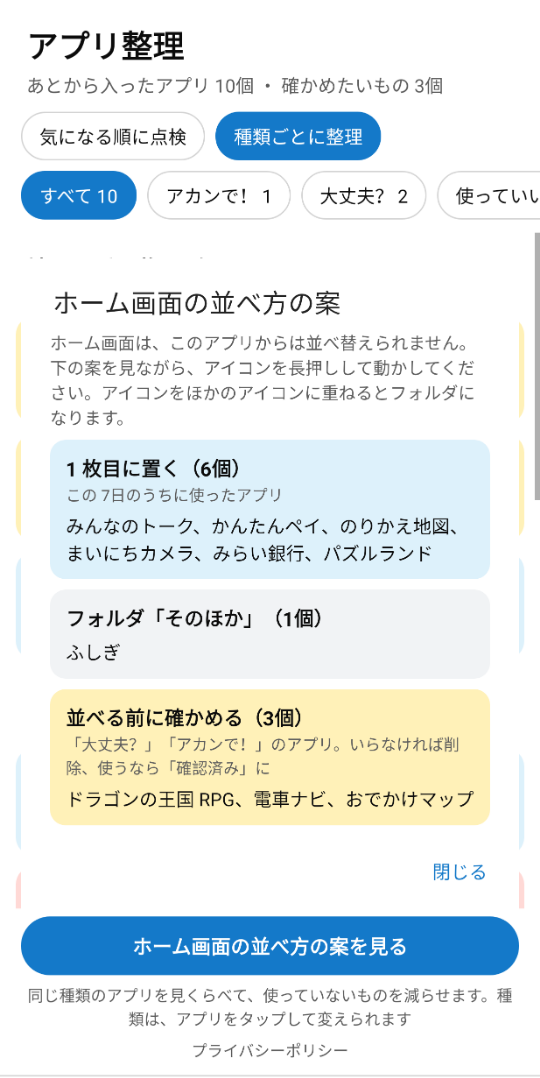
Home screen ideas
Get a suggestion for which apps go on the first page and how to group folders.
Screens are shown with sample apps. The app's interface is currently in Japanese.
What it does
Notice new arrivals
Each time you open it, apps added since your last check are flagged, so nothing slips in unnoticed.
Details for every app
Added date, last used, storage breakdown and source. You can also open the Play Store page or Android settings.
See overlaps
Apps are grouped into 13 kinds such as games, maps and travel, and money. Kinds are guessed from names and can be changed by you.
Uninstall one at a time
Remove an app from its details screen. Android always asks you to confirm.